

A New Era of Intelligent Spreadsheets
Excel has long been the backbone of business reporting and data analysis, but the arrival of Microsoft 365 Copilot marks a transformative shift in how millions of people work with data. According to Netcom Learning’s insights, Copilot introduces AI‑powered analysis, natural language interaction, automated insights, and rapid visualisation, making Excel more intuitive, intelligent, and accessible than ever before.
With over 1.1 billion users leveraging Microsoft productivity tools globally, the integration of Copilot into Excel promises to redefine productivity for individuals, teams, and organisations.
“Copilot bridges the gap between human intelligence and artificial intelligence, empowering users to unlock new levels of productivity and data‑driven decision‑making.”
What Is AI in Excel?

AI in Excel centres around the Copilot-powered experience, where users can type a natural language prompt—such as “summarise this dataset,” “build a pivot table,” or “forecast next quarter’s revenue”—and Copilot interprets, builds, and even improves the analytical output. This includes generating charts, creating formulas, writing queries, and producing narrative insights directly within the spreadsheet.
Tasks that once required advanced Excel knowledge—nested formulas, detailed data cleaning, or sophisticated analytics—can now be executed conversationally.
Getting Started: How to Enable Copilot in Excel
Netcom Learning outlines a clear process for activating Copilot in Excel, ensuring users can quickly integrate AI into their workflow:
- Open Excel and load a workbook.
- Format your data as a table to optimise AI recognition.
- Navigate to File → Options → Add‑Ins.
- Select COM Add-ins → Go, then check Copilot.
- Once enabled, the Copilot button appears in the ribbon, ready to assist.
Key Features That Transform Data Analysis
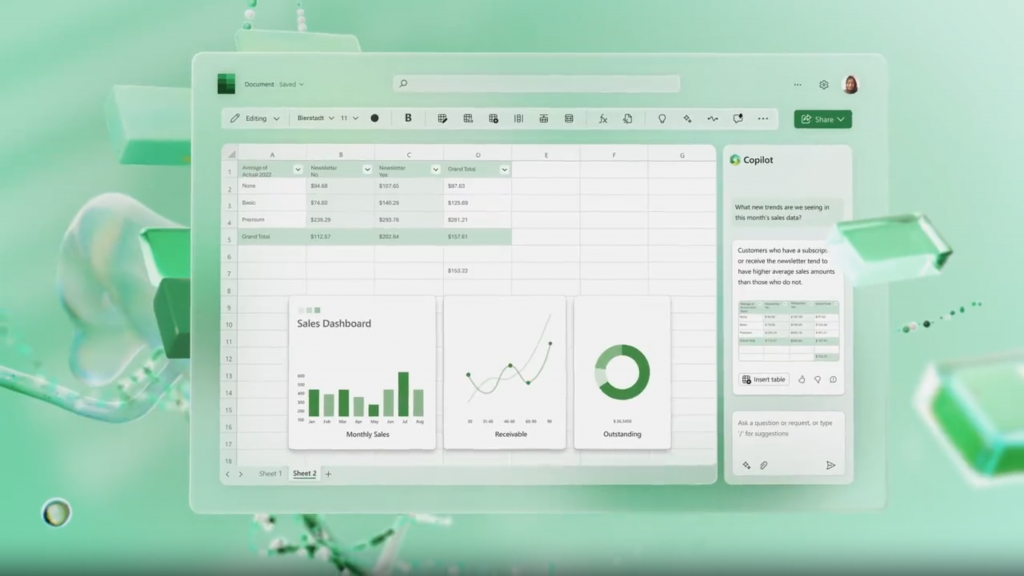
1. Natural Language Data Analysis
Ask Copilot questions such as “Which product category grew the fastest?” or “Highlight outliers in this dataset,” and it will generate answers, visuals, or summaries instantly.
2. Formula Automation
Copilot can create complex formulas from simple language prompts. Whether you need XLOOKUPs, IF statements, or dynamic arrays, Copilot builds them accurately and explains how they work.
3. PivotTables & Charts Generated Automatically
Instead of manually selecting fields, Copilot can instantly generate pivot tables, charts, and recommended visualisations tailored to your question.
4. Intelligent Data Cleanup
Copilot can clean and organise messy data—removing duplicates, standardising formats, and preparing datasets for analysis within seconds.
5. Summaries & Insights at Scale
Need a summary of trends, risks, or opportunities? Copilot generates narrative insights instantly, turning raw numbers into executive-ready analysis.
Practical Benefits for Business Users
Copilot isn’t just a convenience—it meaningfully improves productivity and decision-making across organisations. The article highlights several high‑impact benefits:
- Faster reporting through automated analysis and instantly generated visuals.
- Reduced errors by letting AI manage formulas and data transformations.
- Better insights thanks to Copilot’s ability to interpret patterns and trends.
- Lower learning curve for non‑technical staff who can analyse data using natural language.
- Scalable decision support across finance, HR, operations, sales, and more.
A Glimpse Into the Future of Excel
Netcom Learning’s analysis paints a clear picture: Copilot isn’t just an add‑on — it’s the future of Excel. As AI becomes more deeply embedded in Microsoft 365, users can expect even more advanced modelling, predictive analytics, and seamless integration across tools.
With Copilot, Excel evolves from a manual number‑crunching tool into a collaborative AI partner capable of helping users at every skill level make smarter, faster decisions.